<aside>
👋
Welcome!
This guide will help you understand how to review results and insights from your conversations. You'll learn how to see the big picture, understand the charts, and dive into individual responses!
</aside>
What You'll Learn
- How to see your community's overall performance
- How to understand the topic scores and charts
- How to dig deeper into specific topic analysis
- How to compare results across communities (for multi-community managers)
My Community Dashboard
The My Community page is your home base. It shows you a quick overview of all your conversations and key insights.
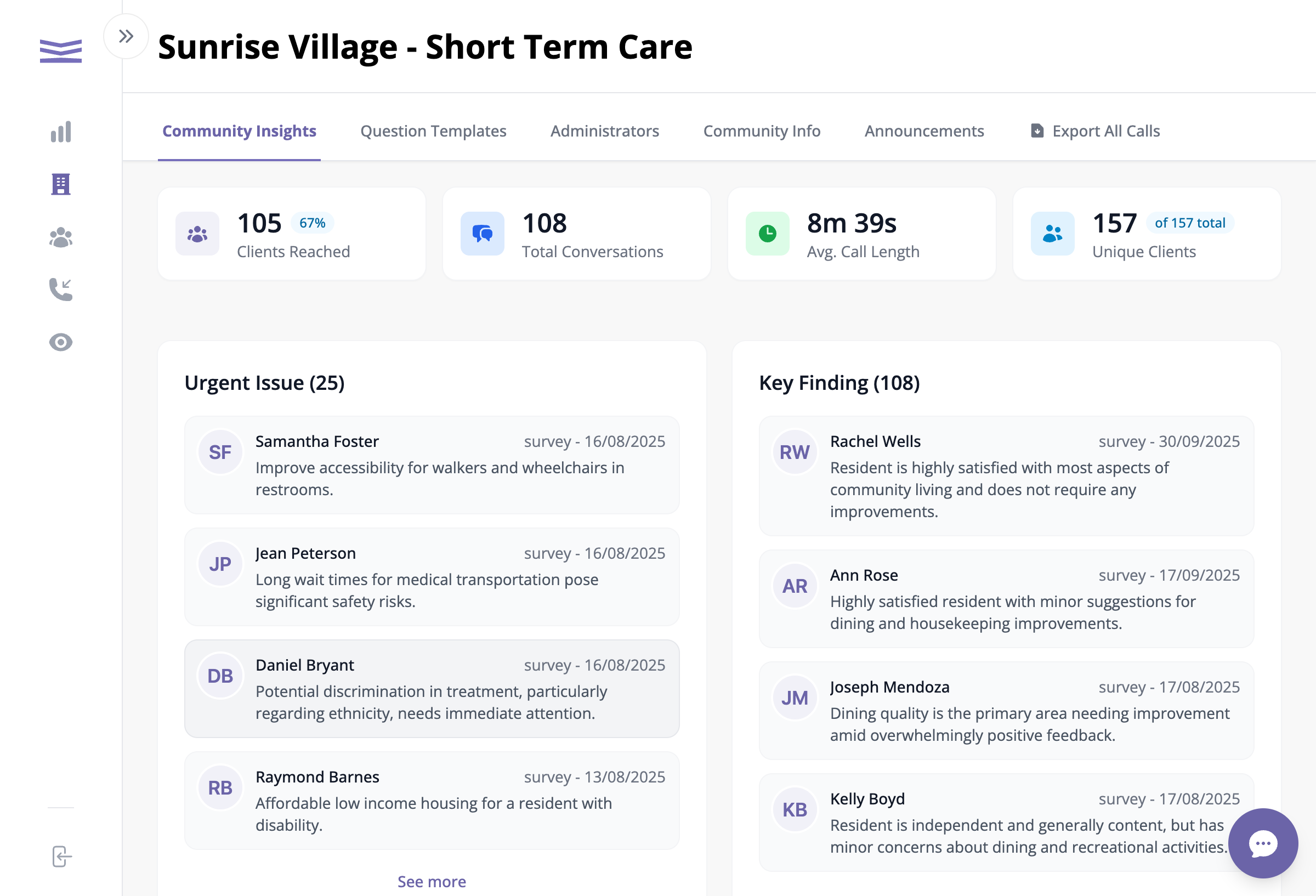
The My Community dashboard showing key metrics and insights
What the Numbers Mean:
- Clients Reached - How many people you've spoken with (with percentage of total)
- Total Conversations - The total number of calls completed
- Average Call Length - How long conversations typically last
- Unique Clients - How many different people have been contacted
Urgent Issues & Key Findings
The dashboard shows two important sections:
- Urgent Issues - Problems that need your attention right away (shown in red)
- Key Findings - Important insights the AI has identified from your conversations