<aside>
📅
Welcome! This guide shows you how to view your scheduled interviews, see booking details, reschedule appointments, and manage your interview sessions.
</aside>
Step 1: View the Weekly Schedule
The Interviews page shows your bookings in a weekly calendar view.
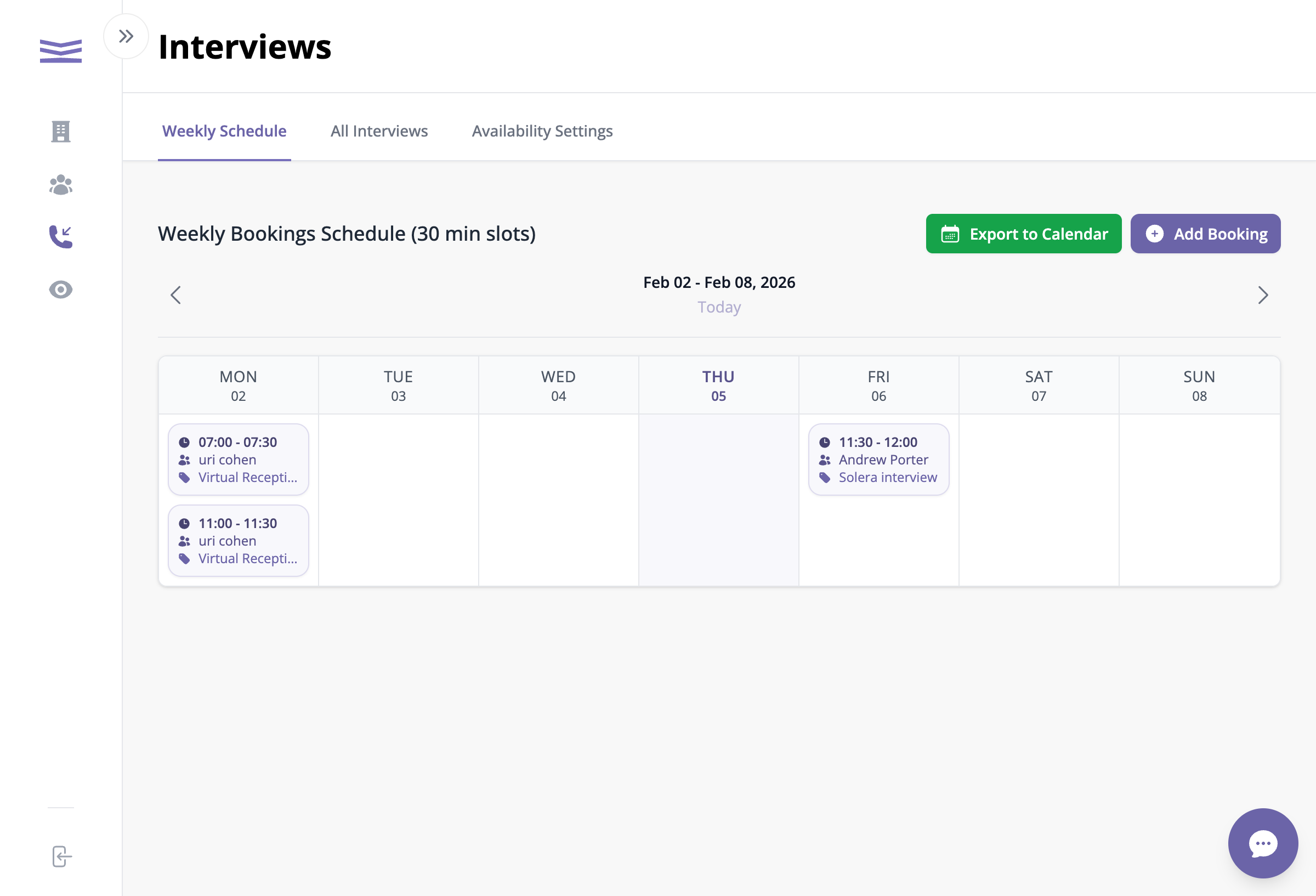
Weekly interview schedule showing bookings
How to navigate:
- Click Previous or Next to move between weeks
- Click Today to jump back to the current week
- Each booking card shows the time, client name, and interview topic
- Days marked in amber are days off (holidays) when no bookings can be scheduled
Step 2: View Booking Details
Click on any booking card to open the details popup.
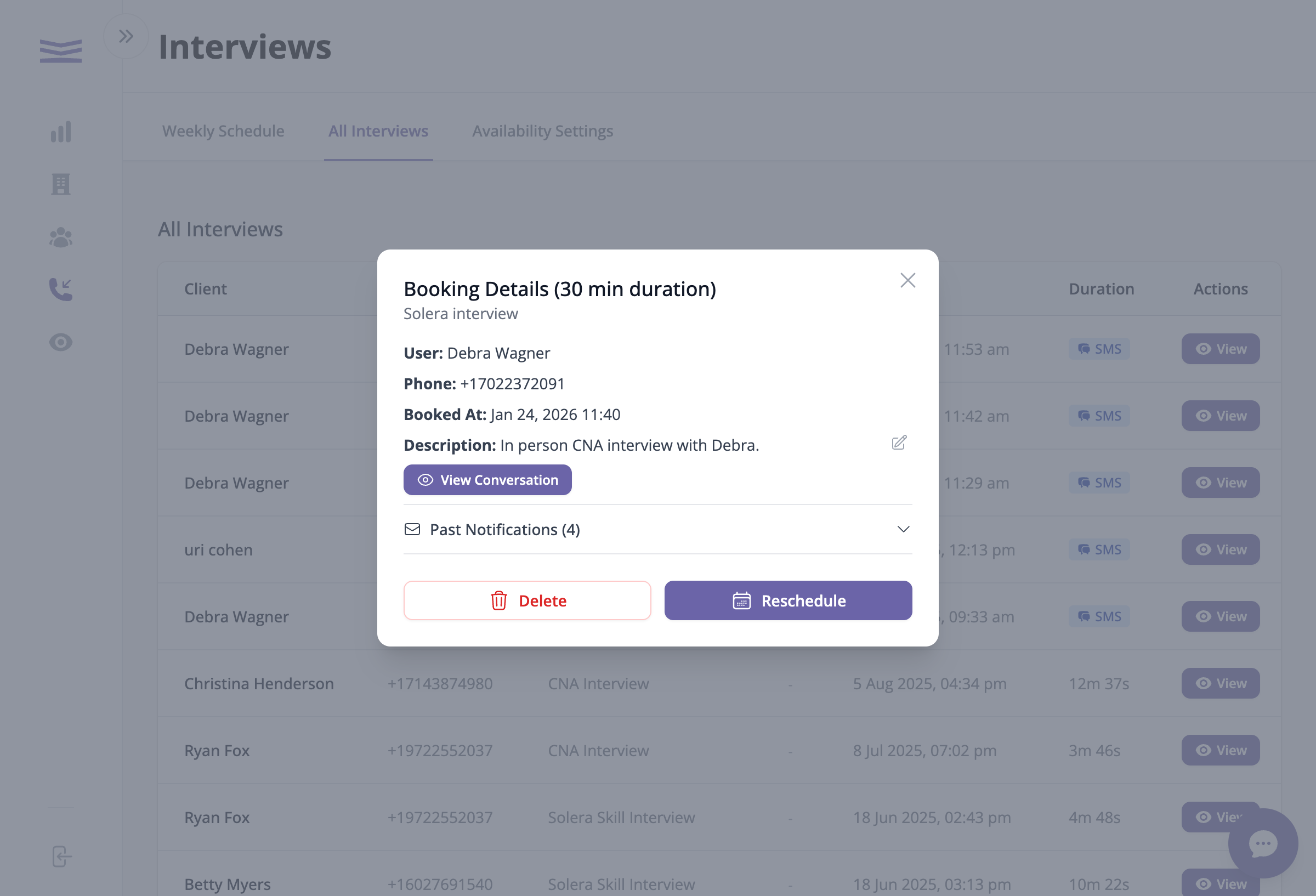
Booking details popup
What you'll see:
- Client name and phone number at the top
- Booked At - when the appointment was created
- Description - notes about the interview (click the pencil icon to edit)
- Questions/Requests - any special requests from the client
- Topic - the type of interview (shown in the purple badge)
- View Conversation button - opens the full interview transcript