<aside>
👋
Welcome!
This guide will help you send messages to your clients. You can send text messages (SMS) or AI-recorded voice calls. It only takes a minute!
</aside>
What You'll Learn
- How to find the Announcements page
- How to pick which clients to message
- How to send a text message (SMS)
- How to send an AI voice message
Step 1: Go to the Announcements Page
- Click on My Community in the left menu
- Click on the Announcements tab at the top
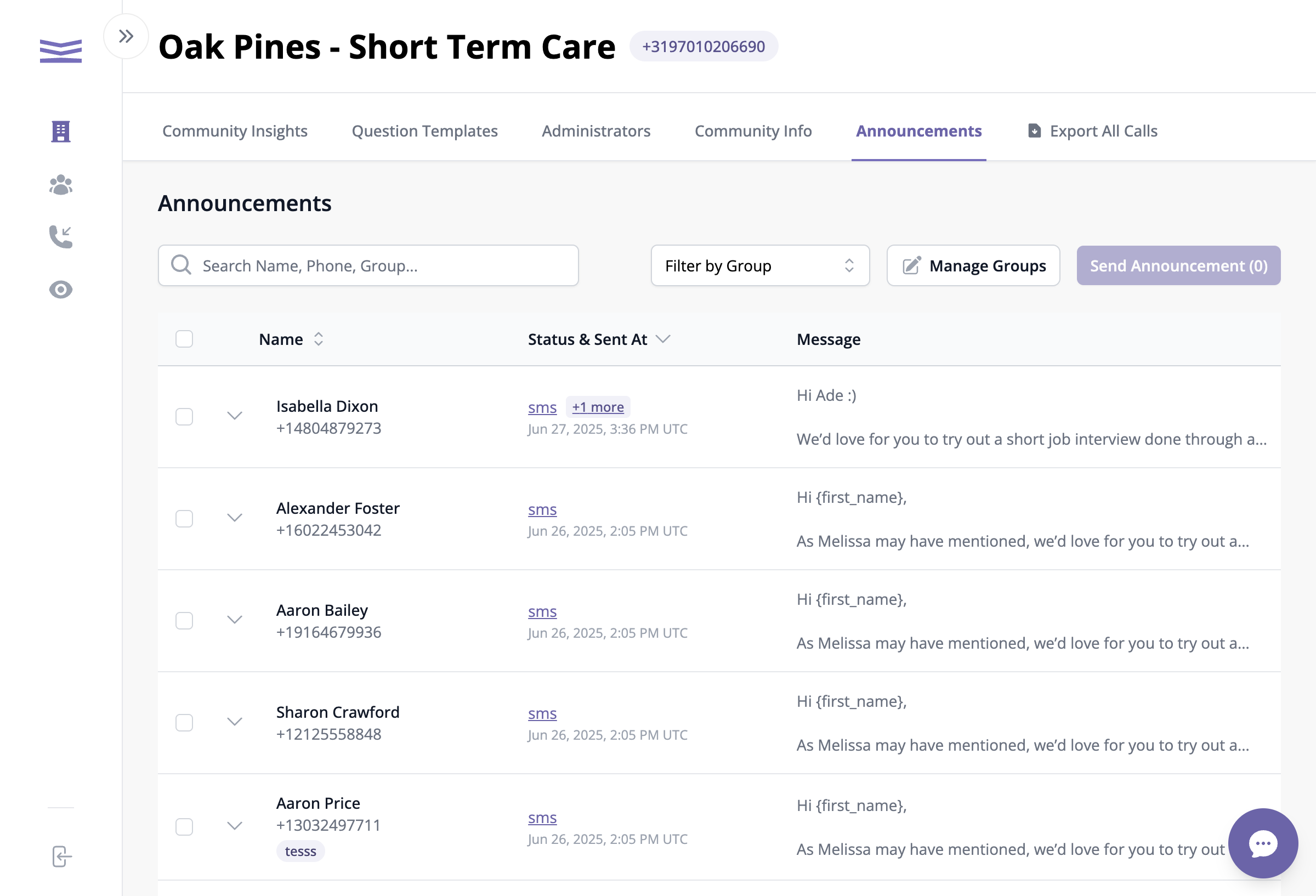
The Announcements page shows all your clients and past messages
You'll see a list of all your clients. Past messages show up next to their names.
Step 2: Pick Who to Message
- Find the clients you want to message
- Click the checkbox next to each name
- The purple Send Announcement button will show how many people you picked
<aside>
💡
Tip: You can use the search box to find someone by name or phone number. You can also filter by group!
</aside>