<aside>
👋
Welcome!
This guide will help you organize your clients into groups. Groups make it easy to call many clients at once!
</aside>
Why Use Groups?
Groups help you organize clients who share something in common. For example:
- Bingo Group - clients who play bingo together
- Morning Walkers - clients who walk in the morning
- Book Club - clients who love reading
Step 1: Select Your Clients
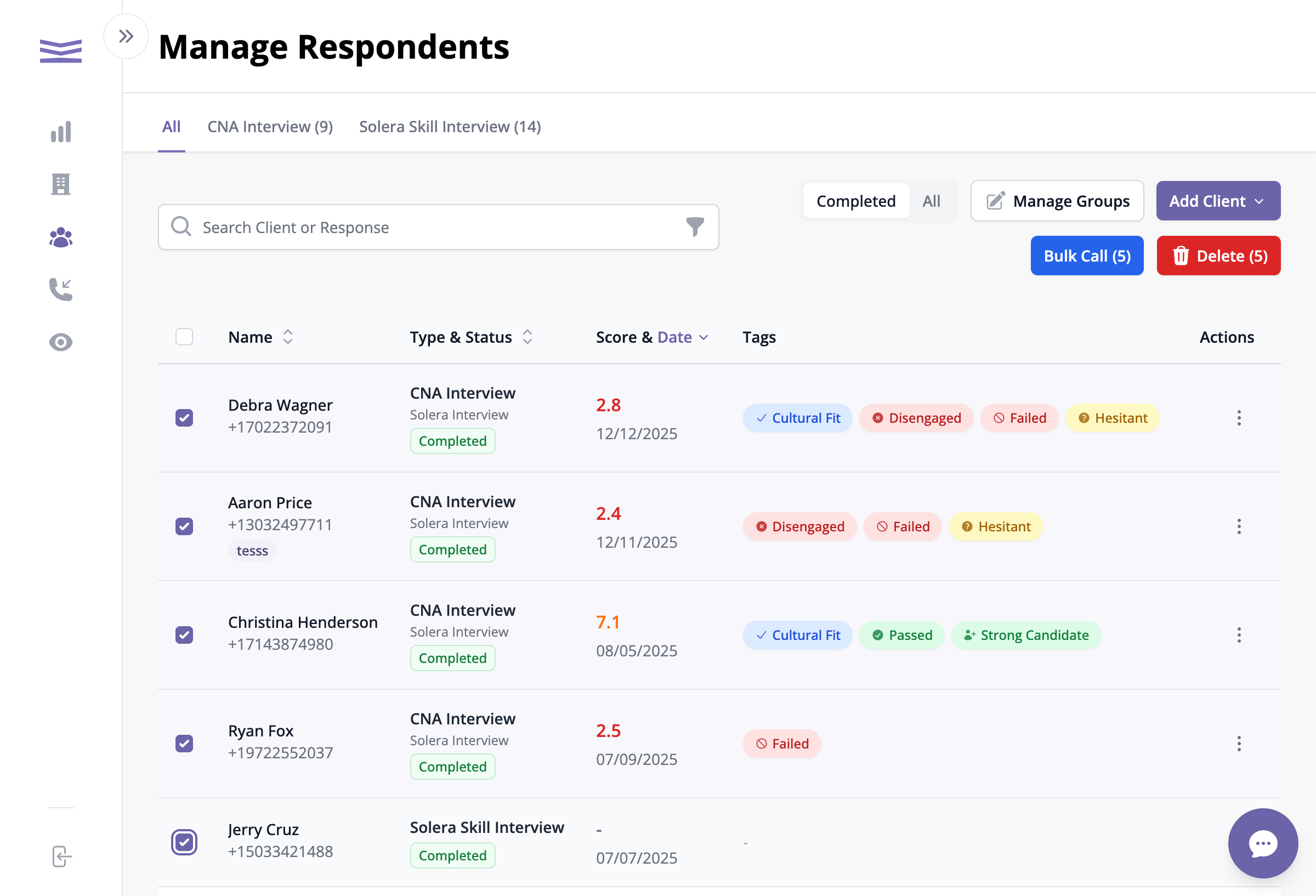
Selecting clients from the list
- Go to the Clients page
- Click the checkbox next to each client you want to add
- Select as many clients as you like
- You'll see the Manage Groups button appear
Step 2: Open the Groups Menu
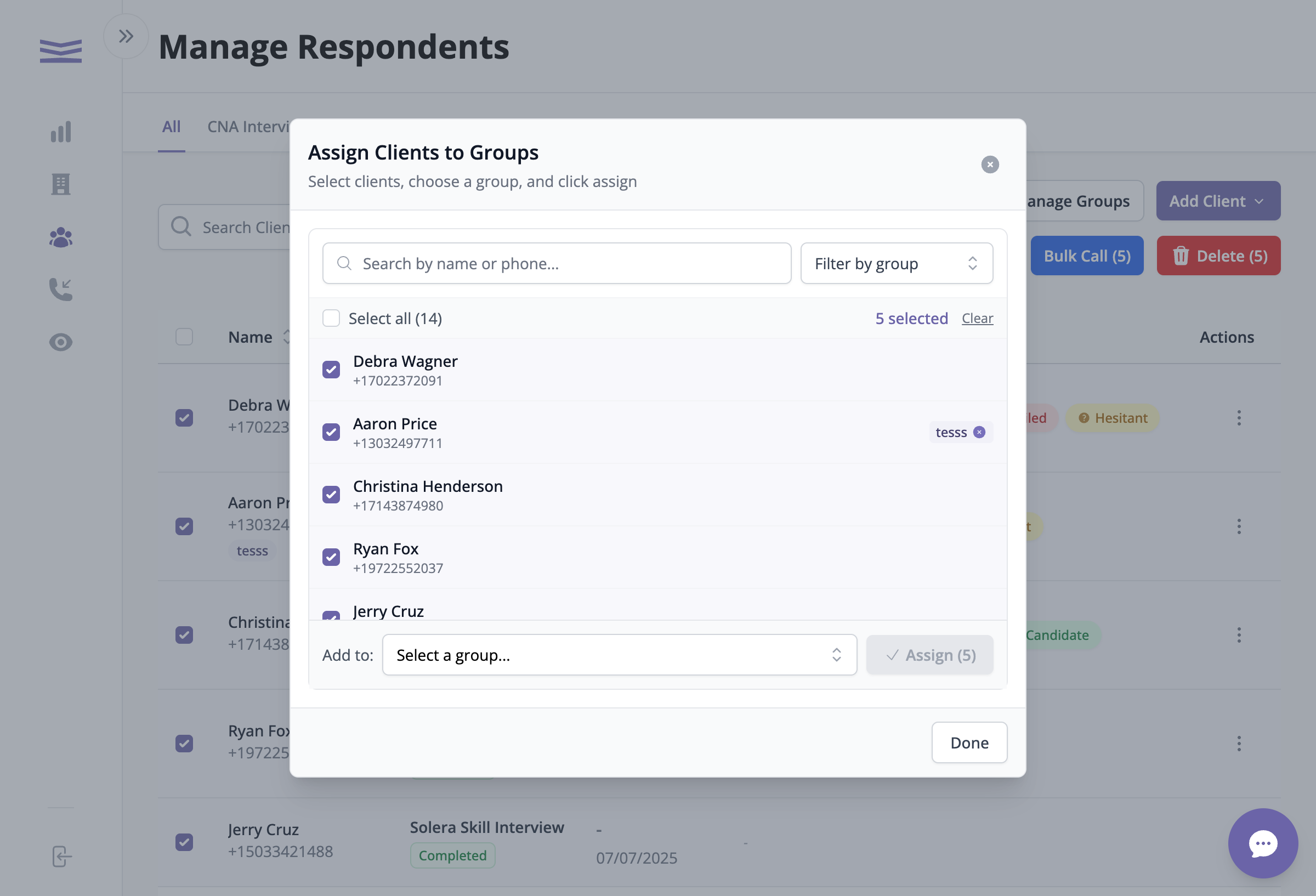
The Assign Clients to Groups window
- Click the Manage Groups button
- A window will open showing your selected clients
- You can see how many clients you've selected