<aside>
👋
Welcome!
This guide will help you add and manage community information. The AI uses this information to answer questions from clients!
</aside>
What is Community Info?
Community Info is where you store helpful details about your community. When clients call and ask questions, the AI uses this information to give accurate answers.
For example, you can add:
- Food & Dining - Meal times and menus
- Activities - Events and schedules
- Transportation - Shuttle times and routes
- Health & Wellness - Fitness classes and medical info
Step 1: Go to Community Info
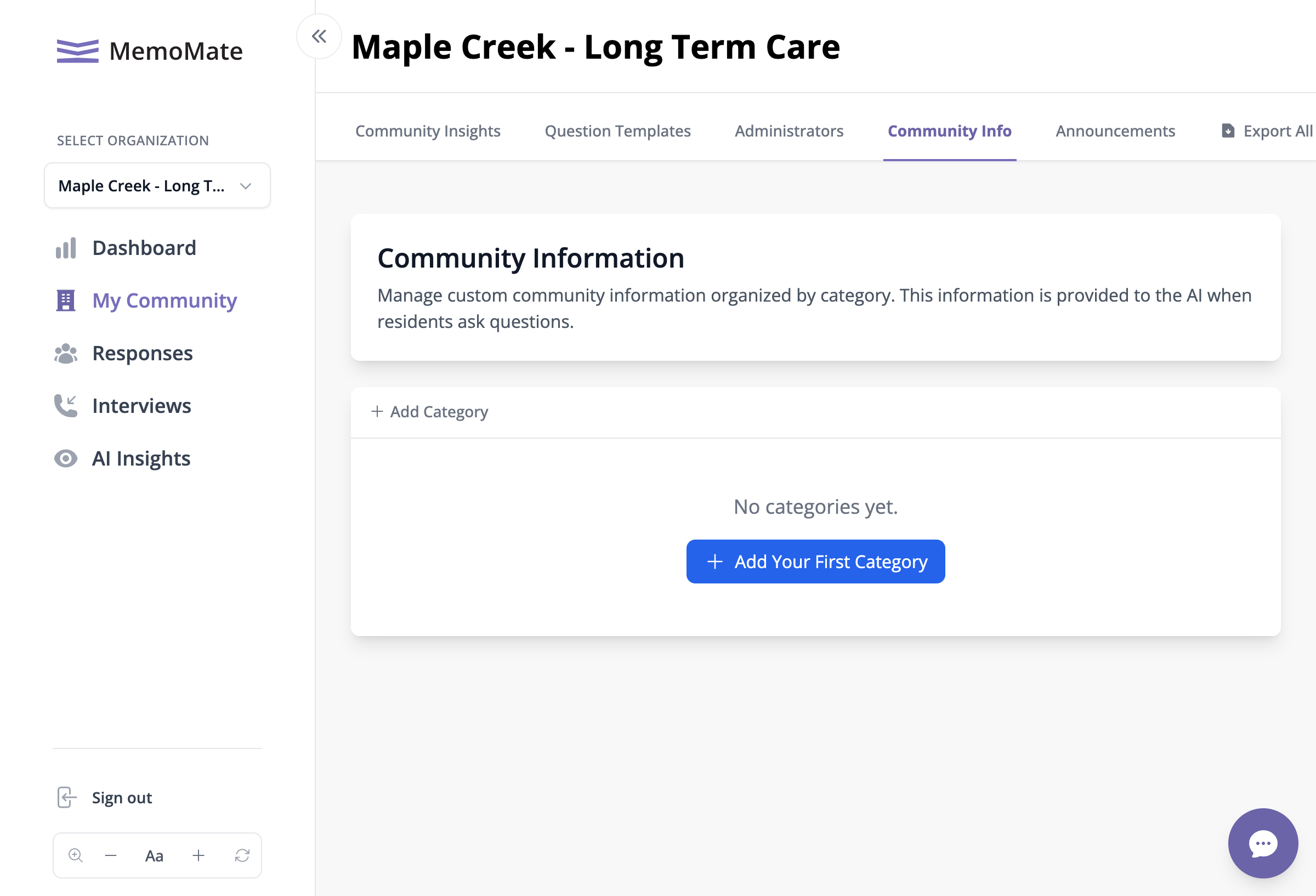
The Community Info tab in Settings
- Click the Settings icon in the left menu
- Click the Community Info tab at the top
- You'll see the Community Information page
Step 2: Add a Category
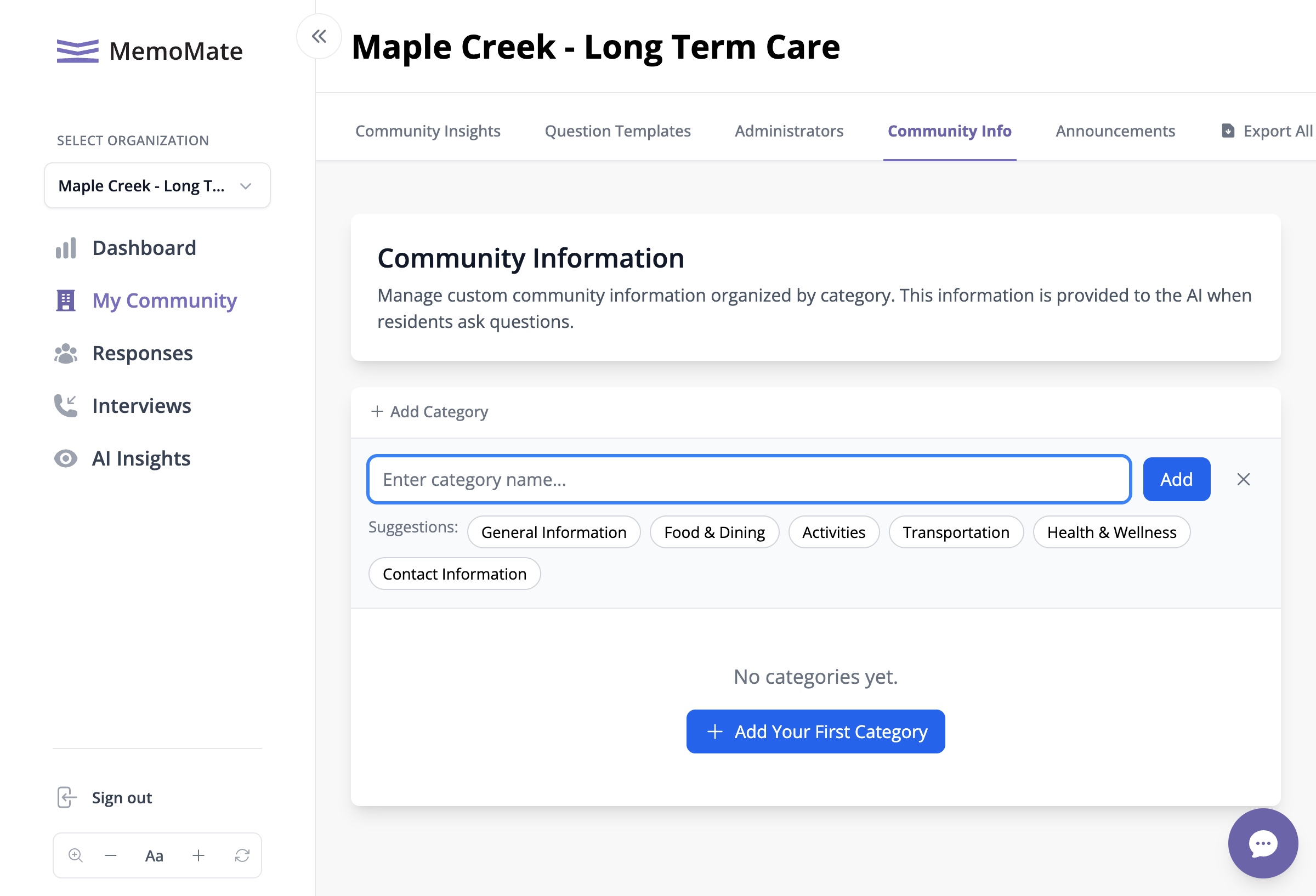
Adding a new category with suggestions
- Click Add Your First Category (or + Add Category if you already have categories)
- You can type your own category name, or click one of the suggestions:
- General Information
- Food & Dining
- Activities
- Transportation
- Health & Wellness
- Contact Information